
Last month, a 60-person FinTech team discovered something remarkable: spending 20 minutes building simple n8n automations was saving them 400 hours every month. While most business owners agonize over whether automation setup time is “worth it,” TMNZ’s engineering team learned that the smallest investments often yield the most dramatic returns—and their cultural transformation from “too hard to automate” to “let’s automate everything” reveals the hidden economics that separate thriving businesses from those drowning in repetitive work.
The math is staggering. Twenty minutes of setup work eliminating twenty minutes of daily drudgery creates 120+ hours of annual savings from a single automation. Yet most teams never cross that initial investment threshold, missing the compound returns that turn operational bottlenecks into competitive advantages.
The 20-Minute Investment That Returned 400 Hours
TMNZ’s story starts like most automation journeys: with frustration. Their 60-person team was executing 150,000 manual tasks monthly across market research, HR workflows, and customer service processes. Each task took anywhere from 15 minutes to several hours, creating a productivity drain that no amount of hiring could solve.
Then something clicked. Instead of viewing automation as a massive technical undertaking, they started identifying 20-minute wins. Simple workflows that connected their existing tools, eliminated manual data transfer, and reduced decision fatigue.
“Leverage is a force-multiplier for your work. Code is this incredible, permissionless form of leverage where you have robots and data centers cranking away for you.” — Naval Ravikant
The results speak for themselves: 400 hours monthly returned to strategic work, with some individual workflows saving up to one hour per execution. But the real transformation wasn’t mathematical—it was cultural. As their engineering lead explained, n8n helped shift their mindset from “this is too hard to solve, let’s just use a spreadsheet for now” to “what can we do to systemise, automate and use AI to scale this?”
This cultural shift reveals why most automation initiatives fail. Teams focus on complex, months-long implementations instead of quick wins that build momentum and prove value immediately.
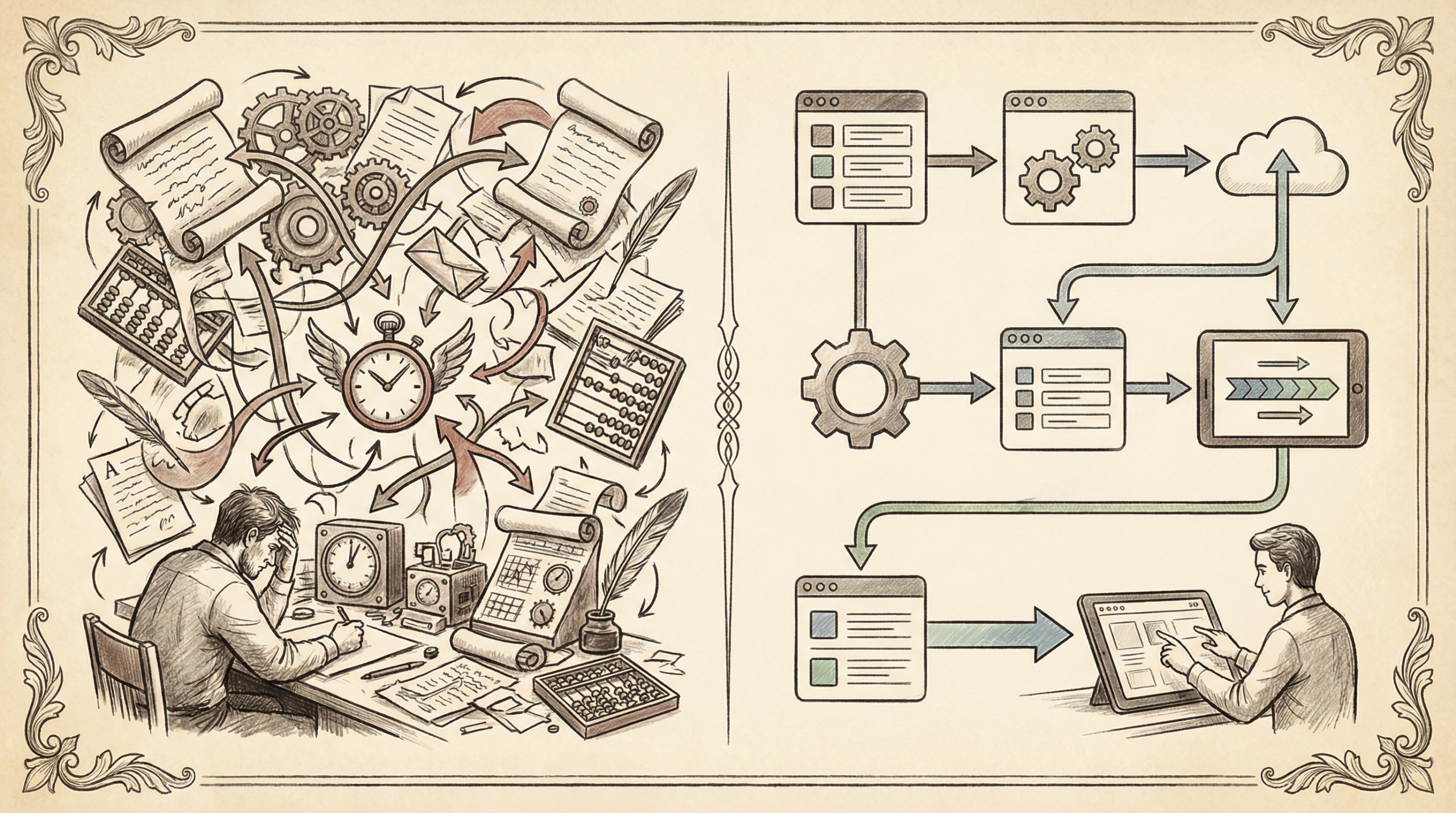
What Is n8n AI Automation: The Gateway Drug to Operational Freedom
n8n represents a fundamental shift in how businesses approach automation. Unlike traditional programming approaches that require months of development, n8n provides a visual, drag-and-drop interface that connects your existing tools with AI-powered decision-making capabilities.
Think of it as the bridge between “I wish this was automated” and “this runs itself.” The platform combines workflow automation with artificial intelligence, enabling complex business logic without complex coding requirements.
The Visual Revolution
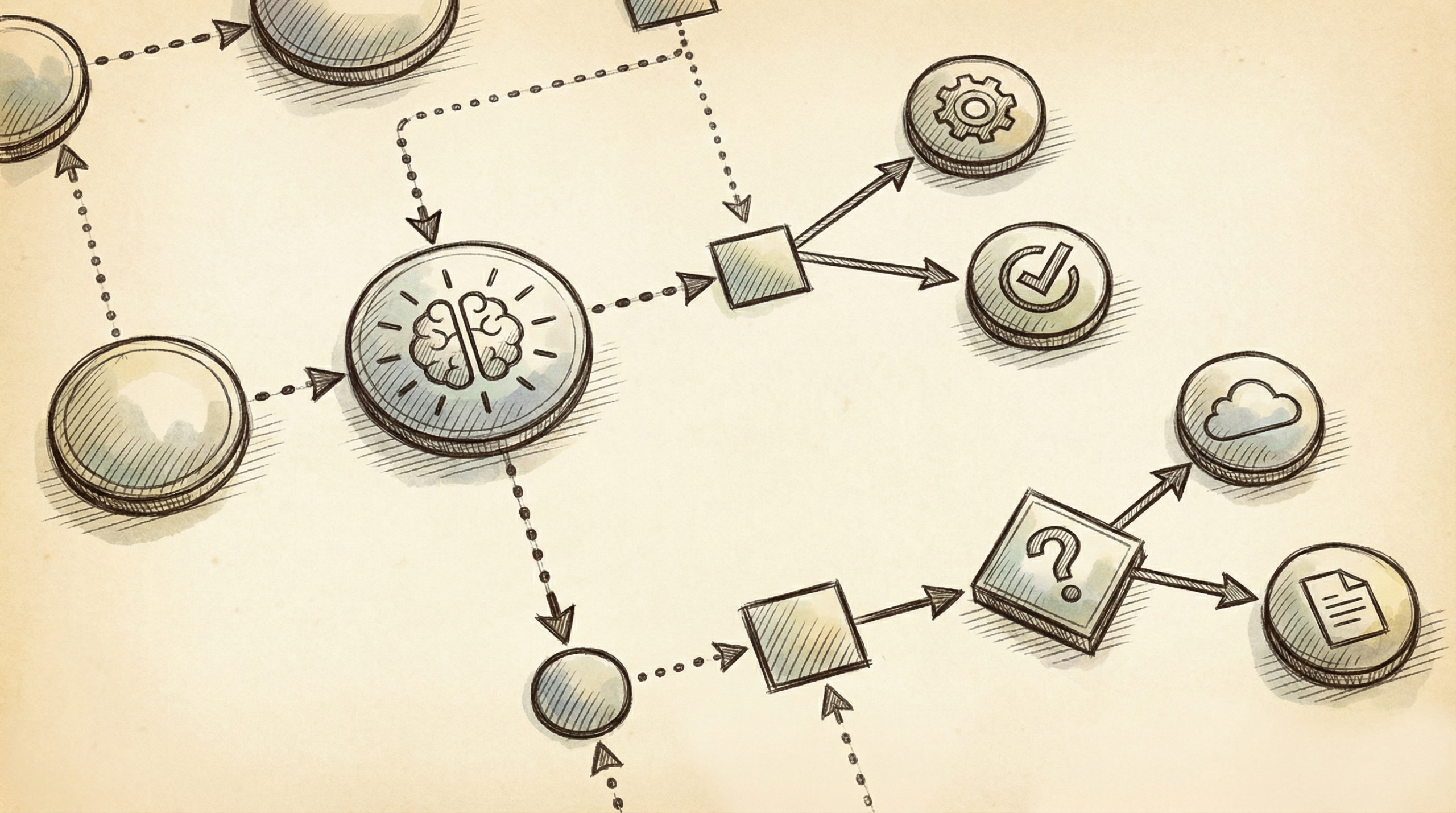
The name “n8n” (pronounced “nodemation”) reflects its node-based architecture. Each business process becomes a series of connected nodes: triggers that start workflows, actions that perform tasks, and AI nodes that make intelligent decisions along the way.
This visual approach eliminates the traditional barrier between business logic and technical implementation. A marketing manager can build lead qualification workflows. An operations director can automate vendor communications. A finance team can create invoice processing pipelines.
AI Integration That Actually Works
Where n8n truly shines is AI integration. Rather than forcing you to choose between automation OR intelligence, n8n workflows can:
- Route emails based on sentiment analysis
- Generate personalized responses using GPT models
- Classify and prioritize support tickets automatically
- Extract structured data from unstructured documents
- Make approval decisions based on predefined criteria
The platform connects directly with OpenAI, Anthropic, and other AI services, turning smart decisions into automated actions.
The Science: Why Small Automation Investments Compound Exponentially
The mathematics of micro-automation reveal why 20-minute investments generate outsized returns. According to recent research from McKinsey Global Institute, current AI technology can automate 57% of US work hours—but most organizations focus on the complex 10% instead of the simple 47% that delivers immediate value.
Consider the compound effect: A single 20-minute automation that saves 20 minutes daily creates:
– 7,300 minutes (121+ hours) saved annually
– $3,000+ in recovered productivity (at $25/hour loaded cost)
– 6,000% first-year ROI on time invested
But the real returns extend beyond time savings.
Cognitive Load Reduction
Every automated decision eliminates what psychologists call “decision fatigue”—the mental exhaustion that accumulates from making countless small choices throughout the day. When StepStone Group reduced their API integration setup from 2 weeks to 2 hours using n8n workflows, they didn’t just save time. They freed their engineering team from 25x more decision-making overhead.
Error Elimination Benefits
Manual processes carry hidden error costs. Data entry mistakes, missed follow-ups, and inconsistent procedures create downstream problems that multiply over time. Delivery Hero’s IT operations team discovered this when their n8n automation eliminated not just 200+ hours of monthly work, but also the cascade of issues caused by manual oversight.
Cultural Momentum Effects
Perhaps most significantly, small automation wins create psychological momentum. Teams that successfully automate simple processes develop confidence to tackle more complex challenges. This explains why TMNZ’s cultural transformation happened gradually, then suddenly—each successful workflow built organizational belief that “this can be automated too.”

Why It Matters: The Hidden Cost of Manual Processes
Most businesses dramatically underestimate the true cost of manual work. Beyond obvious time expenses, repetitive tasks create opportunity costs, quality issues, and employee satisfaction problems that compound into serious competitive disadvantages.
The Opportunity Cost Crisis
Varritech’s client data reveals this hidden economics perfectly. Before automation, their sales team spent 85% of their time on manual tasks—data entry, lead research, email scheduling, and report generation. Only 15% went toward actual selling activities.
After implementing n8n workflows for lead qualification and content generation, they reversed this ratio. The same team now spends 85% of their time on revenue-generating activities, producing 40% more qualified leads while reducing operational overhead.
“Eliminate before you delegate. Never automate something that can be eliminated, and never delegate something that can be automated or streamlined.” — Tim Ferriss
Quality and Consistency Issues
Manual processes introduce variability that customers notice. Response time inconsistencies, formatting differences, and human error patterns create friction that automated workflows eliminate entirely.
Musixmatch discovered this when they automated data retrieval and transformation processes. Beyond saving 47 days of engineering work in four months, automation eliminated the quality variations that plagued their manual approaches.
Employee Satisfaction and Retention
The psychological toll of repetitive work rarely appears on financial statements, but it drives turnover costs, training expenses, and productivity drains throughout organizations. Teams using n8n consistently report higher job satisfaction because automation eliminates the mundane tasks that cause burnout.
Step-by-Step Guide: Your First 20-Minute n8n Automation
The key to successful automation lies in starting small and building momentum. Here’s how to create your first workflow in exactly 20 minutes—no technical background required.
Phase 1: Setup and Environment (5 minutes)
Choose Your Deployment Method
– Cloud option: Visit n8n.cloud and create your account. Zero technical setup required.
– Self-hosted option: Use Docker for local installation if you prefer complete data control (like TMNZ did).
Understand the Interface
Open your n8n workspace. You’ll see a canvas with a sidebar containing nodes. Think of nodes as LEGO blocks—each one performs a specific function, and you connect them to create workflows.
Select Your First Use Case
Choose something you do daily that involves moving information between two systems:
– Email sorting and labeling
– CRM updates from form submissions
– Slack notifications for specific events
– Basic data formatting and transfer
Phase 2: Building Your First Workflow (10 minutes)
Add Your Trigger Node
Every workflow starts with a trigger—the event that kicks everything off. Common triggers include:
– New email arrival
– Form submission
– Scheduled time (daily/weekly)
– Webhook from another service
Drag your chosen trigger onto the canvas and configure the basic settings.
Connect Your Action Nodes
Now add nodes that perform work:
1. Data processing node: Clean, format, or analyze the incoming information
2. AI node (optional): Use GPT to categorize, summarize, or generate responses
3. Output node: Send results to your destination system
Connect each node by dragging lines between the connection points.
Configure the Logic
Click each node to set up its specific parameters:
– Authentication credentials for connected services
– Data mapping between input and output fields
– Any conditional logic or formatting rules
“The true difficulty, and where the greatest potential is, is building the machine that makes the machine.” — Elon Musk
Phase 3: Deploy and Monitor (5 minutes)
Test With Sample Data
Before going live, use n8n’s test functionality to run sample data through your workflow. This catches configuration issues and validates your logic.
Activate Your Workflow
Once testing succeeds, click “Active” to deploy your automation. It will now run automatically based on your trigger conditions.
Set Up Basic Monitoring
Configure error notifications so you know if anything breaks. Most workflows run flawlessly once properly configured, but monitoring provides peace of mind.
Mistakes I Made: Learning from 1,000+ Workflow Deployments
After implementing automation across dozens of organizations, certain patterns of failure emerge consistently. Learning from these mistakes can save you weeks of frustration and failed implementations.
Over-Engineering First Automations
The Mistake: Trying to automate your most complex process first because it offers the biggest potential savings.
Why It Fails: Complex processes have complex failure modes. When your first automation attempt involves 15 decision points and 8 system integrations, you’re setting yourself up for overwhelm and abandonment.
The Solution: Start with workflows that have 2-3 nodes maximum. Build confidence and understanding before tackling complexity. TMNZ’s success came from automating simple market research tasks before moving to sophisticated AI-driven processes.
Skipping Error Handling
The Mistake: Assuming workflows will always work perfectly once deployed.
Why It Fails: External systems change, API connections fail, and unexpected data formats break automated processes. Without error handling, one failed execution can crash your entire workflow.
The Solution: Build error handling into every workflow from day one. Set up email notifications for failures and create fallback paths for common failure scenarios.
Not Documenting Processes
The Mistake: Building workflows for yourself without considering team adoption or knowledge transfer.
Why It Fails: Undocumented automation becomes organizational debt. When you leave or forget the implementation details, teammates can’t maintain or improve the workflows.
The Solution: Document every workflow’s purpose, trigger conditions, and expected outcomes. Include troubleshooting notes and contact information for system owners.
Automating the Wrong Tasks First
The Mistake: Focusing on tasks that take the most time rather than tasks that happen most frequently.
Why It Fails: A 2-hour monthly task that takes 30 minutes to automate saves 18 hours annually. A 5-minute daily task that takes 20 minutes to automate saves 30+ hours annually and eliminates daily friction.
The Solution: Use the frequency × time matrix to prioritize automation opportunities. High-frequency, medium-complexity tasks often provide better ROI than complex, infrequent processes.
Ignoring Change Management
The Mistake: Building technically perfect workflows that team members resist or ignore.
Why It Fails: Automation adoption requires behavioral change. Even brilliant technical solutions fail without user buy-in and training.
The Solution: Involve end users in automation design. Start with workflows that solve their biggest pain points, not just operational inefficiencies that leadership identifies.
Advanced Variations: Scaling Beyond Simple Workflows
Once you’ve mastered basic automations, n8n’s true power emerges through sophisticated workflow orchestration and AI integration capabilities.
Multi-Step AI Integration
Advanced n8n implementations chain multiple AI models to create sophisticated decision-making pipelines. For example:
Content Generation Pipeline:
1. AI analyzes incoming customer inquiry for intent and sentiment
2. Second AI model generates personalized response options
3. Third AI evaluates response quality and selects optimal version
4. Human approval step for high-value interactions
5. Automated delivery and response tracking
Lead Qualification Automation:
1. AI extracts structured data from unstructured lead sources
2. Enrichment APIs gather additional company and contact information
3. AI scoring model evaluates lead quality based on historical patterns
4. Automated routing to appropriate sales team members
5. Personalized follow-up sequence initiation
Enterprise-Grade Implementations
Vodafone’s £2.2 million cost savings demonstrates n8n’s enterprise scalability. Their security automation workflows process thousands of threat intelligence feeds, automatically correlating indicators and triggering response protocols.
Key Enterprise Features:
– Role-based access controls for workflow management
– Audit trails for compliance and security requirements
– High-availability deployment options for critical workflows
– Custom node development for proprietary system integration
– Advanced monitoring and analytics for performance optimization
Performance Optimization Strategies
As workflow complexity increases, optimization becomes crucial:
Parallel Processing: Run independent tasks simultaneously rather than sequentially to reduce total execution time.
Conditional Logic: Use IF nodes to avoid unnecessary processing when conditions aren’t met.
Caching Strategies: Store frequently accessed data locally to reduce API calls and improve response times.
Batch Processing: Group similar operations together to minimize system overhead.
“An army of robots is freely available – it’s just packed in data centers for heat and space efficiency. Use it.” — Naval Ravikant
Real Examples: Companies That Transformed Operations in Minutes
Case Study 1: TMNZ’s FinTech Revolution
Challenge: 60-person FinTech company drowning in manual processes across market research, HR, and customer service operations.
Implementation Approach: Started with simple data transfer automations, gradually building complexity as team confidence grew.
Specific Workflows:
– Market research data collection from multiple sources with AI summarization
– HR onboarding sequences with document generation and tracking
– Customer inquiry routing based on AI sentiment analysis
– Automated reporting pipelines replacing manual spreadsheet compilation
Results:
– 150,000 monthly workflow executions
– 400+ hours monthly saved across the organization
– Cultural transformation from manual-first to automation-first mindset
– Over one-third of staff actively using automation workflows
Key Success Factor: Self-hosted deployment gave them complete control over sensitive financial data while maintaining cost efficiency.
Case Study 2: Delivery Hero’s IT Operations Transformation
Challenge: IT operations team spending hundreds of hours monthly on repetitive system maintenance and monitoring tasks.
Implementation Approach: Focused on high-frequency operational tasks that could be standardized and automated.
Specific Workflows:
– Automated system health monitoring with intelligent alerting
– Database maintenance scheduling and execution
– Log analysis with anomaly detection
– Incident response coordination and communication
Results:
– 200+ hours monthly saved across IT operations
– Reduced response times for critical system issues
– Improved consistency in operational procedures
– Team capacity freed for strategic infrastructure projects
Key Quote: “We have seen drastic efficiency improvements since we started using n8n. It’s incredibly powerful, but also simple to use.”
Case Study 3: Musixmatch Engineering Acceleration
Challenge: Engineering team spending excessive time on data retrieval and transformation tasks that distracted from core product development.
Implementation Approach: Automated repetitive data processing workflows to free engineering capacity for feature development.
Specific Workflows:
– Automated data extraction from multiple music databases
– Real-time data transformation and normalization
– Quality assurance checks with automated error reporting
– Integration pipelines for third-party data sources
Results:
– 47 days of engineering work saved in 4 months
– Improved data quality and consistency
– Faster time-to-market for new features
– Engineering team refocused on high-value development work
Case Study 4: Varritech Client Sales Transformation
Challenge: Sales and marketing team spending 85% of time on manual administrative tasks rather than revenue-generating activities.
Implementation Approach: Comprehensive automation of lead management and content generation processes.
Specific Workflows:
– AI-powered lead qualification and scoring
– Automated CRM updates and data synchronization
– Content generation for email campaigns and social media
– Integration of 12+ previously disconnected tools
Results:
– 85% reduction in time spent on manual tasks
– 40% increase in qualified leads generated
– 3x faster content creation for marketing campaigns
– Unified workflow across previously siloed systems
These case studies demonstrate that successful automation isn’t about finding the perfect use case—it’s about building organizational capability through iterative improvement and consistent implementation.
Frequently Asked Questions
How long does n8n actually take to learn for non-technical users?
Most non-technical users can build their first basic workflow in 20-30 minutes using n8n’s visual interface. The drag-and-drop node system requires no coding knowledge—you’re essentially connecting digital building blocks rather than writing code. Advanced workflows with complex AI integration typically take 2-4 hours to master, but the learning curve is gradual. Start with simple two-node workflows (trigger + action) and build complexity over time as your confidence grows.
What’s the real ROI timeline for n8n automation investments?
Break-even typically occurs within the first week for daily tasks and within the first month for weekly tasks. A 20-minute automation setup that saves 20 minutes daily reaches 6,000% ROI by year-end. However, the compound benefits extend beyond time savings—reduced errors, improved consistency, and eliminated decision fatigue create additional value that’s harder to quantify but equally important. Most organizations see measurable productivity improvements within 30 days of implementation.
Can truly non-technical team members build effective workflows?
Yes, but success depends on starting simple and choosing the right use cases. TMNZ’s success story includes marketing managers and operations coordinators building workflows without programming backgrounds. The key is beginning with linear processes (A leads to B leads to C) rather than complex conditional logic. Most business processes follow predictable patterns that translate well to n8n’s visual workflow format. JavaScript knowledge helps for advanced customization but isn’t required for 80% of common business automations.
How do I identify the best automation opportunities in my business?
Use the frequency-impact matrix: prioritize tasks you perform multiple times per week that involve moving information between systems. Look for processes where you’re copying data from emails to spreadsheets, updating multiple systems with the same information, or generating reports by combining data from various sources. The sweet spot is high-frequency, medium-complexity tasks that currently require 10-60 minutes of focused attention but follow predictable steps every time.
What makes n8n different from other automation platforms like Zapier?
n8n offers self-hosting options for complete data control, unlimited workflow executions on self-hosted instances, and more sophisticated AI integration capabilities. Unlike SaaS-only platforms, n8n gives you the flexibility to keep sensitive data on your own servers while maintaining cost predictability as you scale. The node-based visual interface also handles complex conditional logic and branching workflows more intuitively than linear trigger-action platforms. For organizations processing sensitive data or requiring high-volume automation, these differences become critical advantages.
How does n8n handle complex multi-step workflows with conditional logic?
n8n excels at complex workflows through its branching and conditional node system. You can create IF/THEN logic paths, parallel processing streams, and error handling routes all within the same visual canvas. For example, a lead qualification workflow might branch based on company size, industry, and engagement level, with different follow-up sequences for each path. Switch nodes allow multiple conditional branches, while merge nodes bring parallel processes back together. This visual approach makes complex business logic much easier to understand and maintain than traditional coding approaches.
What are the security considerations when implementing n8n automations?
n8n provides several security deployment options depending on your data sensitivity requirements. Self-hosted deployments give you complete control over data location and access controls, which is why financial companies like TMNZ chose this approach. Cloud deployments offer convenience with enterprise-grade security certifications. Key security practices include using environment variables for API keys, implementing role-based access controls for workflow editing, and setting up audit trails for compliance requirements. Always review data handling policies for any external services your workflows connect to.
Ready to discover what 20 minutes of automation setup can save you? Choose one repetitive task you performed today—email sorting, data entry, or status updates—and time yourself building your first n8n workflow. Set a timer for exactly 20 minutes, focus on connecting just two systems, and measure your daily time savings over the next week. The compound returns might surprise you more than they should.